 Apex Studio
Now on the Microsoft Store
The Windows screenshot tool you have been missing.
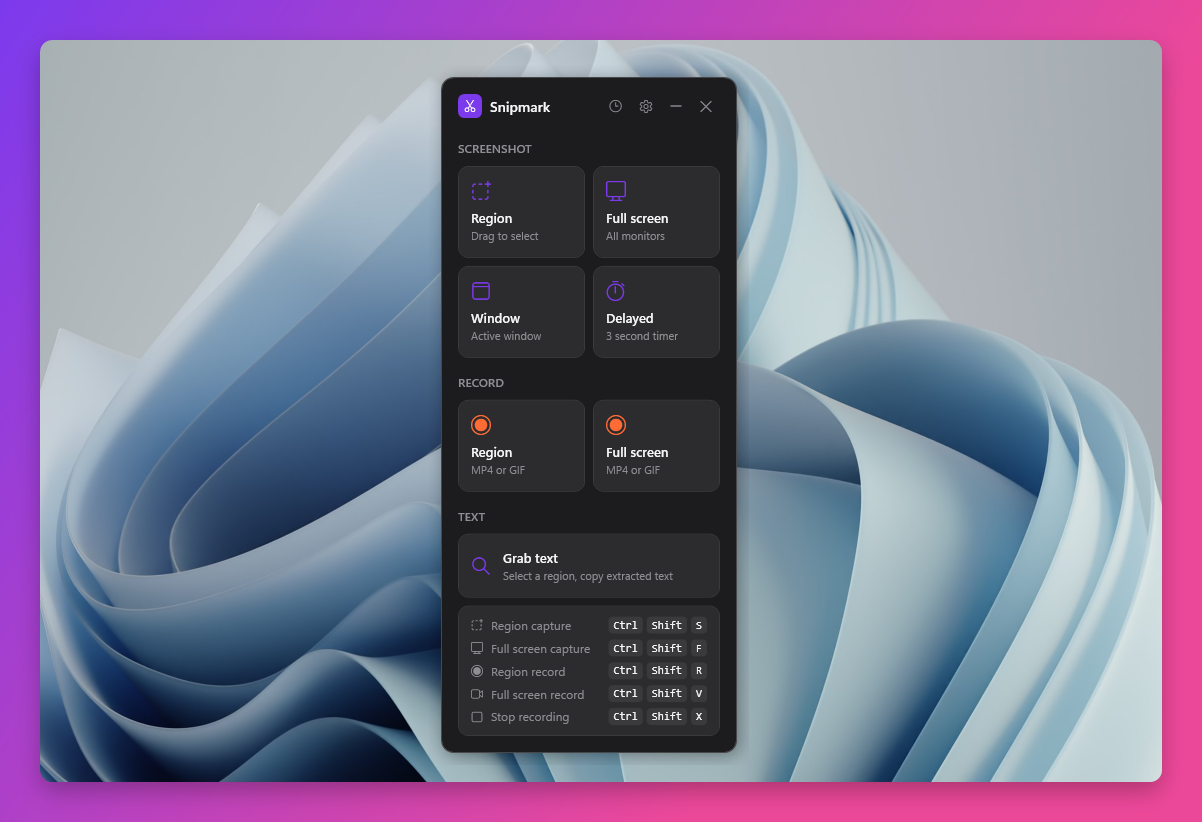
Screenshots and screen recordings that look great. Annotate, beautify, and record from one clean interface. Stays on your device. No cloud. No account.
Annotation
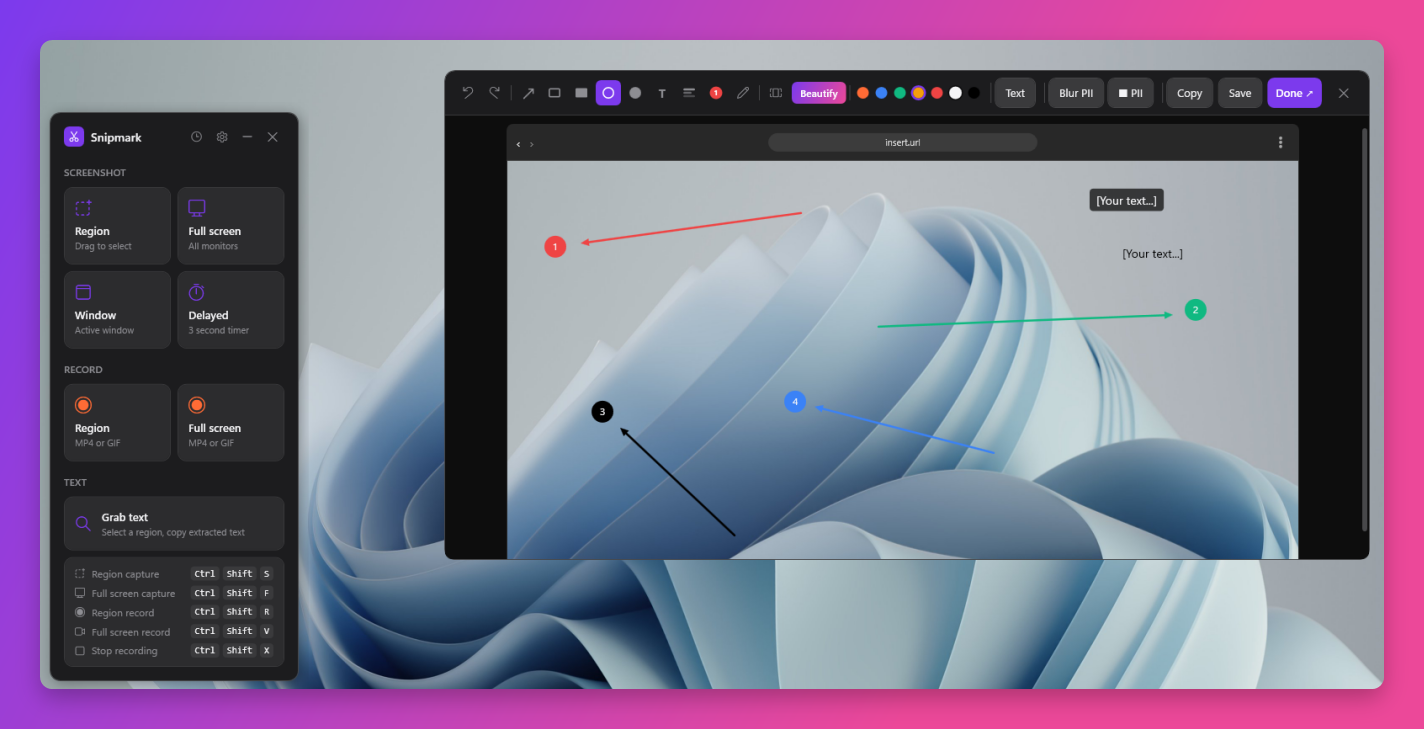
Annotate anything, clearly.
Draw arrows, add numbered steps, blur out sensitive information, drop text labels, and freehand sketch. Every tool is one click away in the toolbar. Each annotation gets its own accent colour so multi-step walkthroughs stay readable at a glance.
Beautify
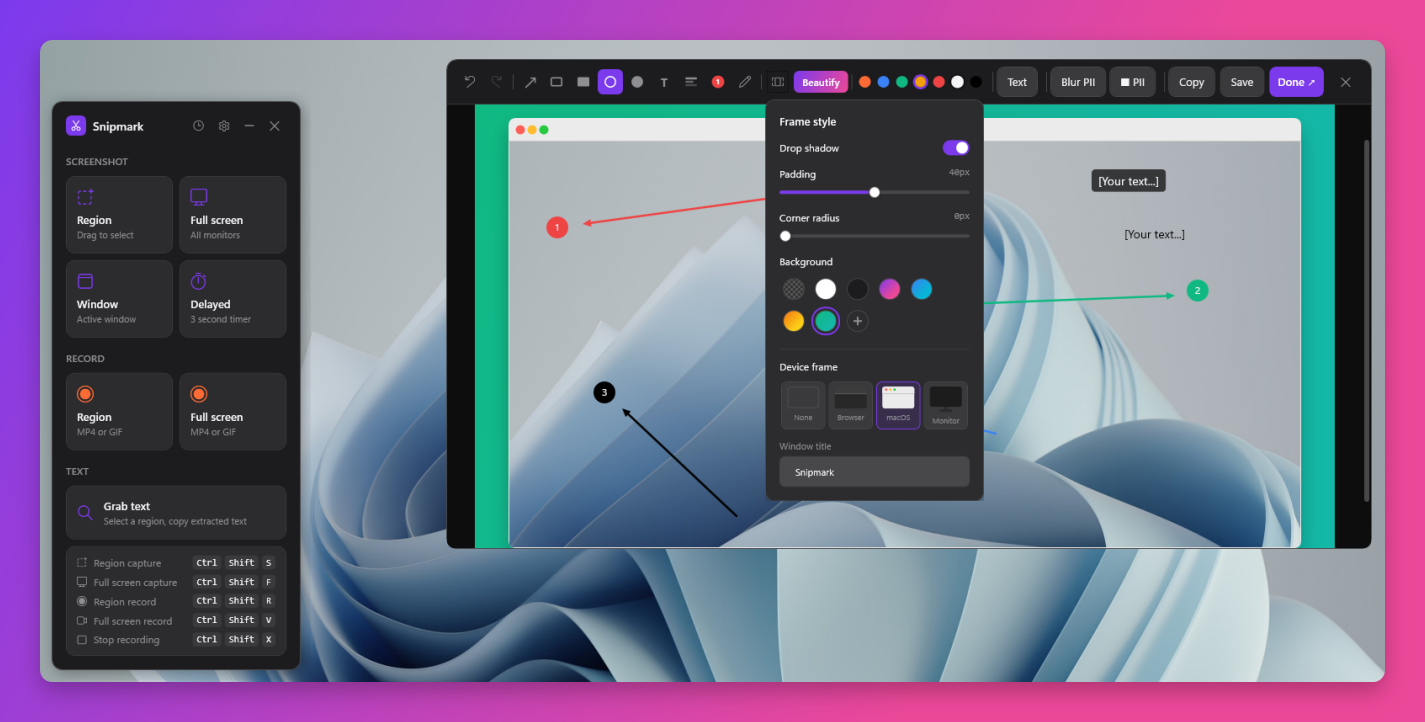
Beautiful screenshots, one click.
One click transforms any raw capture into something you would actually want to share. Add drop shadows, rounded corners, padded canvas, gradient or solid backgrounds, and device frames including browser, macOS window, and monitor mockup. Every slider adjusts live.
History
Never lose a capture.
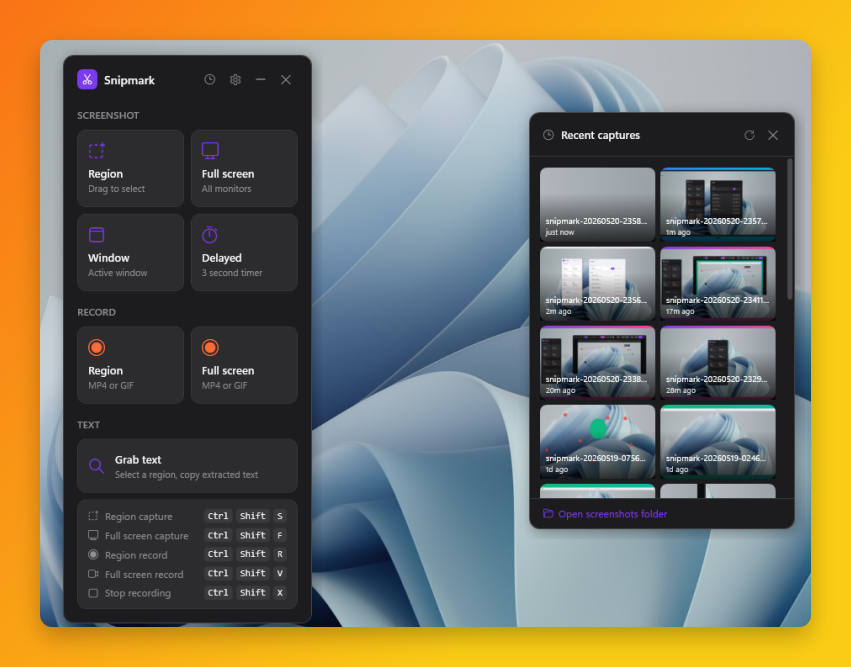
Every screenshot and recording from the current session lives in the history panel. Click any thumbnail to reopen it in the editor. Drag directly from the panel into Slack, Discord, GitHub, or any app that accepts file drops. No folder hunting required.
Theming
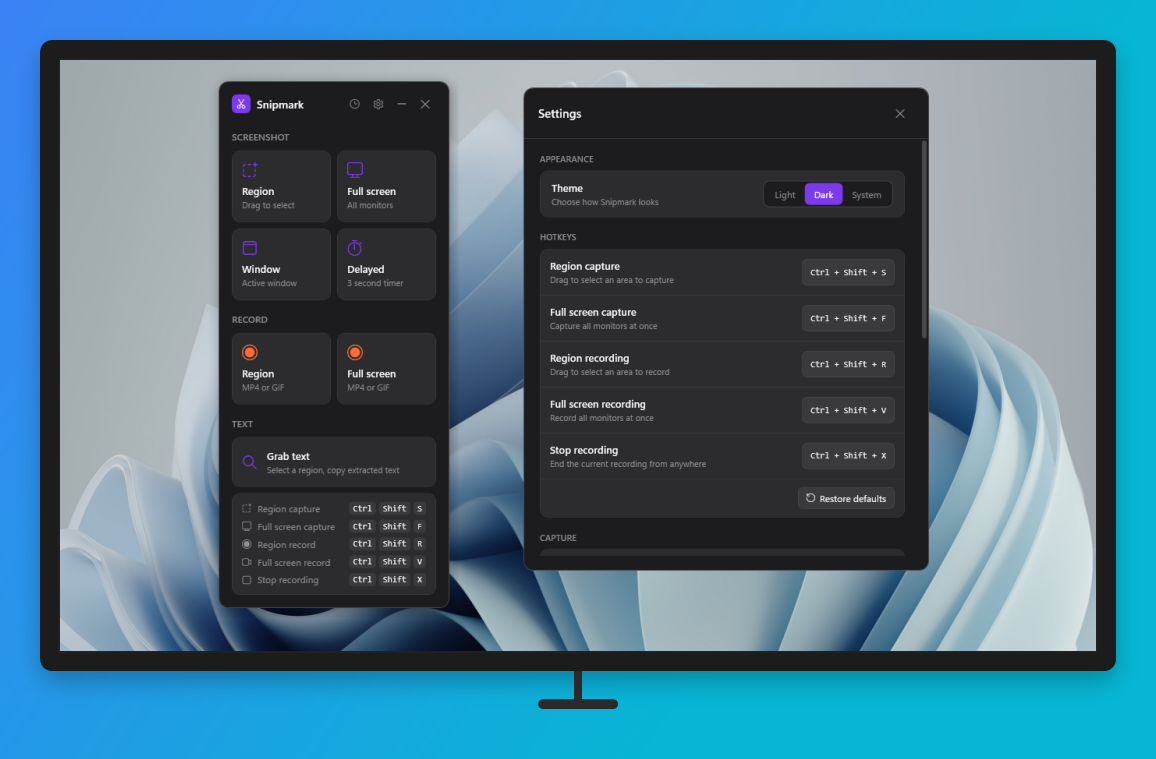
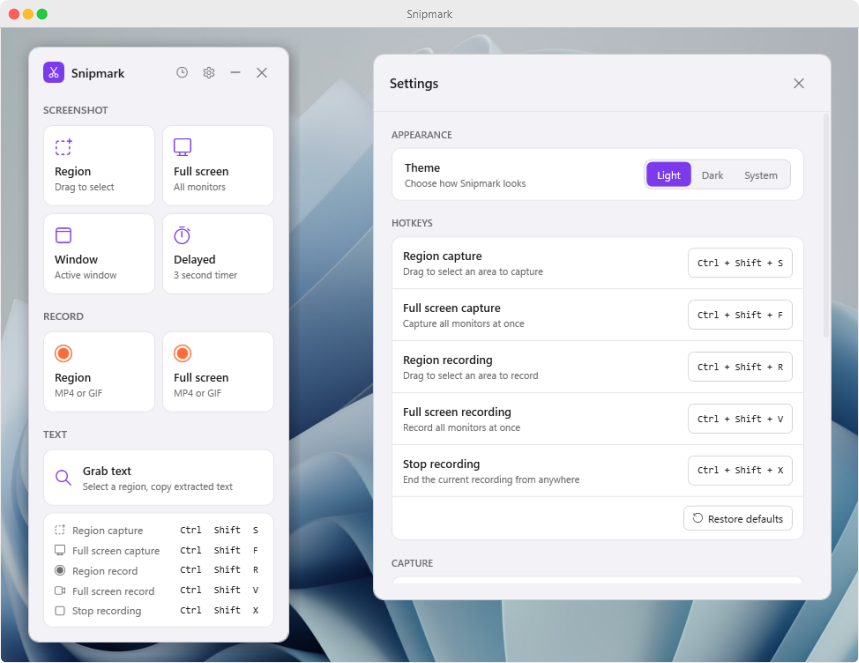
Looks right on any setup.
Full light and dark mode, with automatic system sync.
Everything included
Packed in, priced low.
Features that other tools charge extra for, all in one $0.99 purchase.
9 annotation tools
Arrows, rectangles, circles, freehand, text, blur, and step counters, with undo and redo throughout.
Beautify presets
Drop shadows, gradient backgrounds, rounded corners, device frames. One click transforms any screenshot.
Screen recording
Record any region or full screen as MP4 or GIF at up to 60 fps. Desktop audio and microphone included.
OCR text grab
Select any region and extract the text from it instantly. Works on UI, PDFs open on screen, anything visible.
Private by default
No account. No cloud. No telemetry. Your captures live on your machine and nowhere else. Licence validated offline.
Customisable hotkeys
All five capture and record shortcuts are remappable. Separate folders for screenshots and recordings.